stdlib Python urllib HTTPS fails under launchd. The actual fix (not verify=False).
If you landed here, you probably just got this:
urllib.error.URLError: <urlopen error [SSL: CERTIFICATE_VERIFY_FAILED]
certificate verify failed: self-signed certificate in certificate chain
(_ssl.c:1006)>
And your script worked fine when you ran it in your terminal.
Then you wrapped it in a launchd plist, restarted with launchctl kickstart, and now every HTTPS call dies. Telegram bot API. Anthropic API. Some random webhook. Doesn't matter what the endpoint is. They all return that same self-signed certificate error.
The endpoint is not self-signed. Your Python build is lying to you, because its trust store is empty.
Here's the full picture, the actual fix, and why the Stack Overflow suggestions are mostly wrong.
The Setup That Breaks
Minimal repro. This is the kind of script I hit it with, posting a message to Telegram from a launchd-managed daemon:
#!/usr/bin/env python3
import json
import urllib.request

def send(token, chat_id, text):
    url = f"https://api.telegram.org/bot{token}/sendMessage"
    data = json.dumps({"chat_id": chat_id, "text": text}).encode()
    req = urllib.request.Request(
        url,
        data=data,
        headers={"Content-Type": "application/json"},
    )
    with urllib.request.urlopen(req, timeout=10) as resp:
        return json.loads(resp.read())

if __name__ == "__main__":
    print(send("BOT_TOKEN", 12345, "hello from launchd"))
Run it in your terminal: works.
Drop it under a launchd plist with ProgramArguments pointing at the script: SSL verification failure.
Same file. Same Python interpreter on PATH. Same network. Different process tree, different result.
What's Actually Going On
/usr/bin/env python3 on a typical Mac dev setup resolves to one of two Pythons:
- The python.org framework build at
/Library/Frameworks/Python.framework/Versions/3.X/bin/python3 - Homebrew Python at
/opt/homebrew/bin/python3on Apple Silicon, or/usr/local/bin/python3on Intel
Whichever one is first on your PATH wins.
Homebrew's Python comes with a populated OpenSSL trust store. It works.
The python.org framework Python comes with an empty trust store. Its OpenSSL config directory at /Library/Frameworks/Python.framework/Versions/3.X/etc/openssl/ has no certificates by default. There is a post-install script called Install Certificates.command shipped in the same directory that copies certs in from the certifi package, but it is interactive. You have to double-click it. Most people skip it. I skipped it.
When you run your script in your interactive shell, the way PATH resolves on most setups means Homebrew Python often wins, or the shell pulls some other environmental context that papers over the gap. Plenty of Mac developers go years without hitting this because of that.
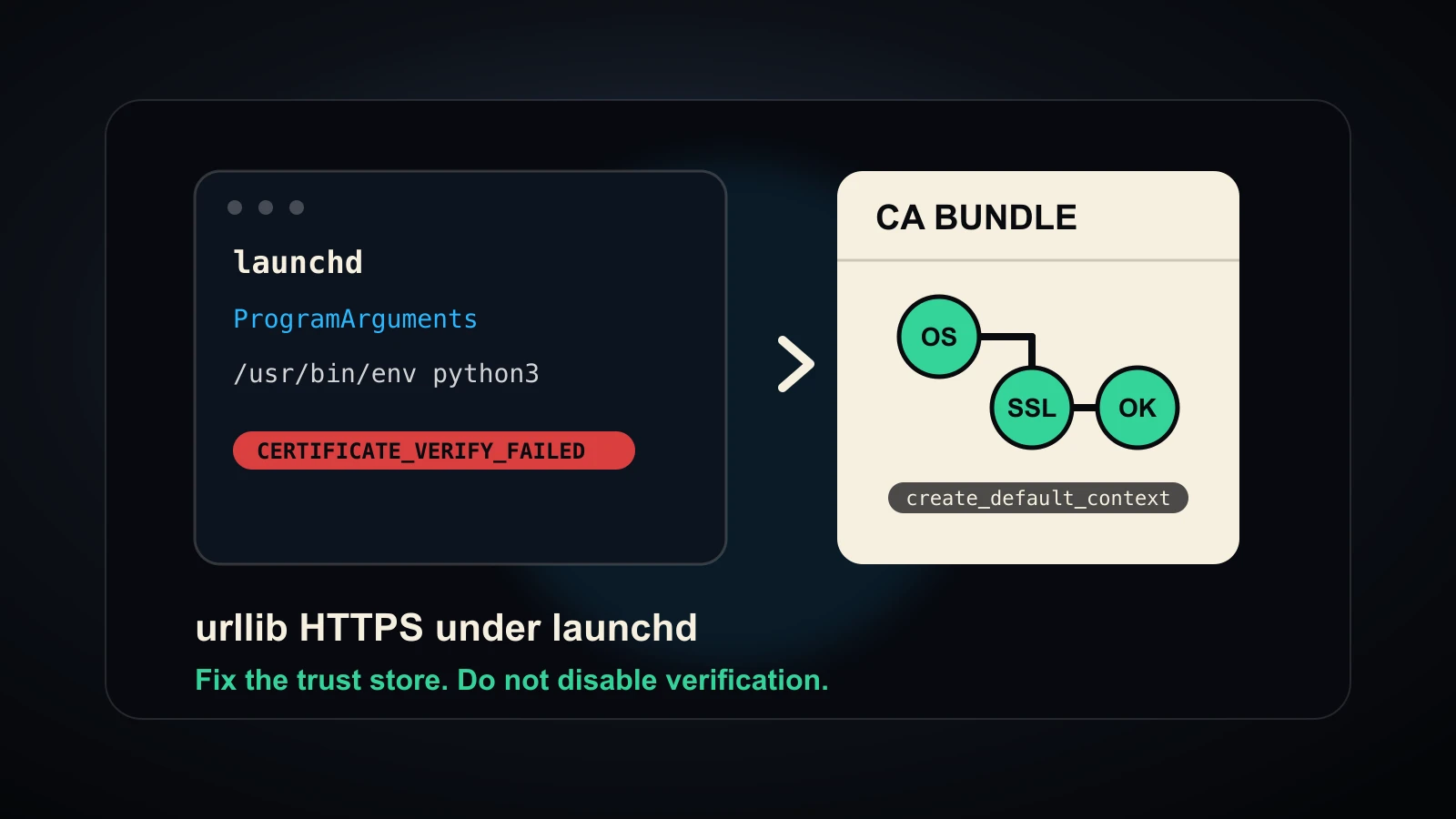
Under launchd, the picture changes. launchd has its own minimal environment. Whatever /usr/bin/env python3 resolves to in that PATH is what runs, and that's typically the framework Python, with its empty trust store, sitting underneath your urllib call. The stdlib's ssl.create_default_context() looks for a CA bundle, finds nothing, can't verify the leaf cert returned by api.telegram.org against any known root, and raises the error you got.
The cert chain Telegram presented is not self-signed. Your Python just has no roots to compare it against, so the chain terminates at something it doesn't recognize. The default SSL context paints that as "self-signed in chain" because that's the formal description of "I walked up the chain and didn't find a trusted anchor."
What Not To Do
Three suggestions you will absolutely find by Googling this error:
verify=False or ssl.CERT_NONE. Don't. Your script is sending an auth token over the wire. Bot token, API key, OAuth bearer, whatever. Disabling certificate verification opens you up to a man-in-the-middle interception of that credential. If you do this in production, you have built a credential-leak generator. I've seen this in real codebases. It's worse than the original error.
Switching from urllib to requests or httpx. This sometimes works, because requests bundles certifi and httpx resolves a CA bundle through certifi by default. But it only works if your venv actually includes certifi. And you've now added a dependency to fix what is fundamentally a configuration problem, which means the bug comes back the moment you ship a leaner image, a different venv, or a non-Python-Foundation install. The underlying problem is still there.
Re-running Install Certificates.command. This actually fixes it on the machine you're sitting at. It does not fix it on the next machine you deploy to. It does not fix it after a Python version upgrade. It does not fix it in CI. It is a manual interactive step. Most teams will not catch when it's been skipped because the failure surface is invisible until something runs under launchd.
The Actual Fix
Resolve a CA bundle path at startup, feed it explicitly to ssl.create_default_context(cafile=...), and use that context for every HTTPS call. Fall back through a sane order so the same code works whether you have certifi installed or not.
import os
import ssl

def resolve_ca_bundle():
    """
    Find a usable CA bundle file path. Returns None as a last resort,
    in which case ssl.create_default_context() will fail loudly with the
    same error you already know, instead of mysteriously.
    """
    # 1. Honor explicit override. Lets you point at a custom CA
    # bundle (corporate root, test fixture, etc.) without code change.
    explicit = os.environ.get("APP_CA_BUNDLE")
    if explicit and os.path.exists(explicit):
        return explicit

    # 2. OpenSSL's compiled-in default. Works on builds that ship a
    # populated trust store. Skipped silently on builds that don't.
    paths = ssl.get_default_verify_paths()
    if paths.cafile and os.path.exists(paths.cafile):
        return paths.cafile

    # 3. macOS system trust store, populated by the OS.
    # Present on every Mac I've seen since at least macOS 10.15.
    sys_bundle = "/etc/ssl/cert.pem"
    if os.path.exists(sys_bundle):
        return sys_bundle

    # 4. certifi if it's in the venv.
    try:
        import certifi
        return certifi.where()
    except ImportError:
        return None

ctx = ssl.create_default_context(cafile=resolve_ca_bundle())
Then everywhere you make an HTTPS call:
with urllib.request.urlopen(req, timeout=10, context=ctx) as resp:
    ...
Or if you're using http.client:
import http.client
conn = http.client.HTTPSConnection("api.telegram.org", context=ctx)
That's it. Verification stays on. The empty trust store on the framework Python no longer matters because you've given it a real CA bundle that exists on the filesystem.
Why The Fallback Order Matters
The order is not arbitrary. It is the order you actually want when shipping code that will run on machines you don't control.
APP_CA_BUNDLE, or whatever you call your env var, goes first because operators need to be able to point at a custom bundle without redeploying. Corporate environments running MITM proxies are the common case. Without an override path, you've shipped a script that can't be deployed inside a corporate network.
ssl.get_default_verify_paths() goes second because if the OpenSSL build did ship populated, you should use that. It's the canonical answer. Skipping it would mean ignoring the system's own preferred bundle on Linux distros that wire it correctly.
/etc/ssl/cert.pem is macOS-specific and is almost always present. It's the OS-level bundle. On Linux, this path varies by distro: /etc/ssl/certs/ca-certificates.crt on Debian/Ubuntu, /etc/pki/tls/certs/ca-bundle.crt on RHEL/Fedora. If you're cross-platform, branch on sys.platform here.
certifi goes last because it's a Python dependency, not a system one. If your script is meant to run on machines where the venv may or may not include certifi, you want to fall through to it only when the system path failed. If certifi is in the venv, this is the cleanest path. But you don't want to rely on it being present.
If all four fail, returning None is intentional. ssl.create_default_context(cafile=None) will fall back to the default location lookup and produce the same opaque error you got at the start, which is at least familiar. You don't want to silently swap in verify=False or anything cute as a "last resort" because that turns a loud configuration problem into a quiet security problem.
Why Your Hermetic Tests Didn't Catch This
The reason this bug ships into production despite people having "tests" is that nearly every test suite that covers HTTPS-calling code stubs the HTTP layer at unit-test boundary. requests-mock, httpretty, responses, unittest.mock.patch, a pytest fixture that swaps in a localhost plain-HTTP fake. The TLS layer is never exercised. The code that breaks under launchd works fine in tests because no certificate verification happens.
The fix is not to test less mocked. The fix is to add at least one live SMOKE test that hits a real HTTPS endpoint under the same process environment your production code will run under. For my launchd daemon, that meant a SMOKE step that actually launched the script through launchctl start against a test Telegram bot and verified the message arrived. Hermetic tests passed long before launchd would have. The live SMOKE caught it on first deploy.
This is the bigger lesson buried in the bug. TLS configuration is a deployment-time concern that hermetic unit tests cannot reach by construction. If you have any HTTPS in your code, you need at least one test that runs the code in the deployment context. Otherwise you're shipping a TLS regression every time you change your Python version, your launchd plist, your Docker base image, or your venv composition.
Quick Summary
- python.org framework Python ships with an empty OpenSSL trust store
Install Certificates.commandis interactive and easy to miss- Under launchd, with no interactive shell to paper over the gap, stdlib HTTPS calls fail
- The error message, "self-signed certificate in chain," is misleading. The cert is fine. Your trust store is empty
verify=Falseis not a fix. It's a credential leak- Switching libraries to
requestsorhttpxonly works ifcertifihappens to be available, and doesn't address the underlying configuration gap - The fix is a CA bundle resolver: env override, then OpenSSL default, then
/etc/ssl/cert.pem, thencertifi, then loud failure - Hermetic unit tests can't catch this. Add a live SMOKE test under the deployment process environment
If you've been chasing this for two hours, I hope that saves you the next two.
Tagged